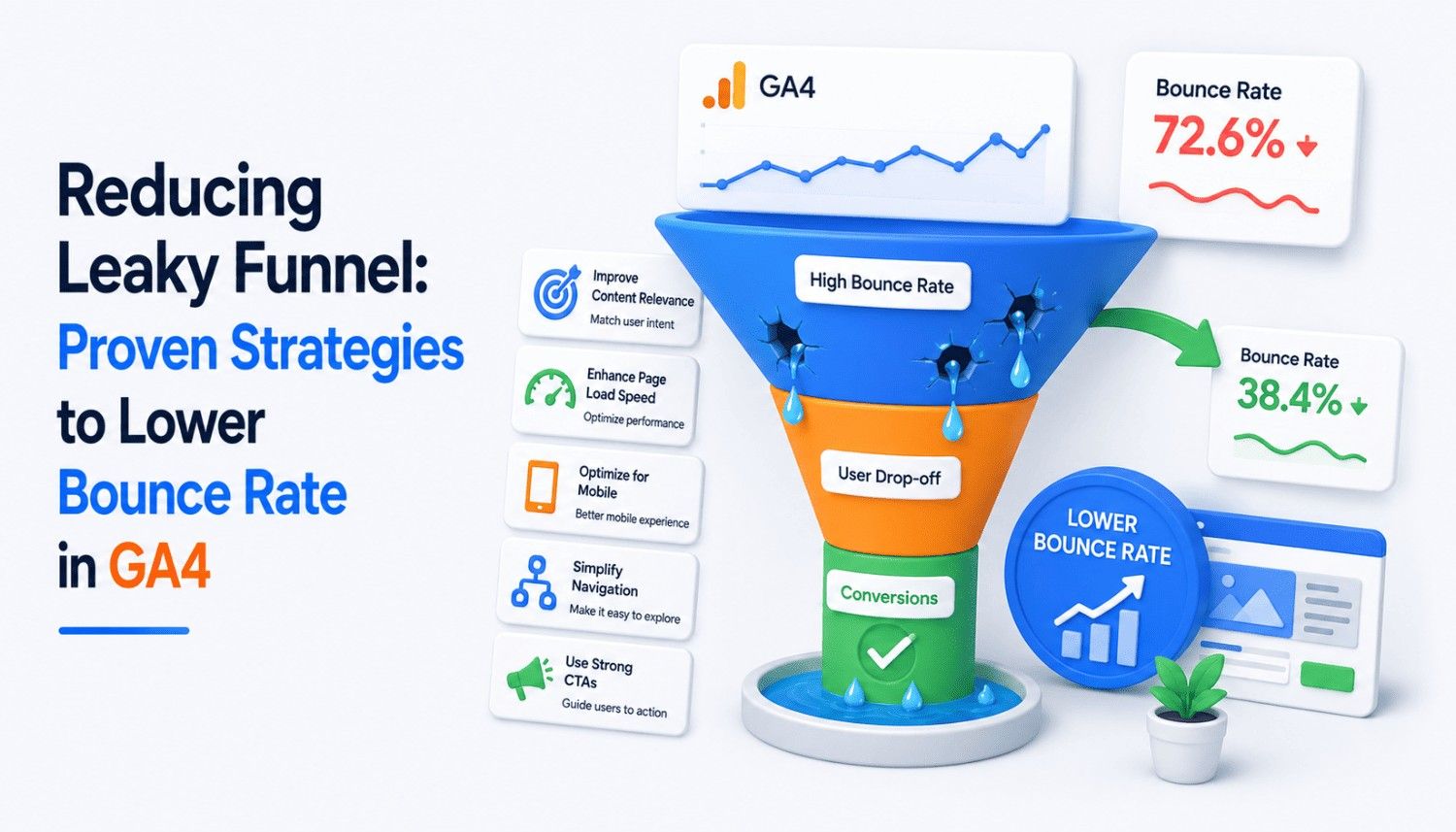
As a crucial metric in digital marketing, bounce rate measures the performance of your website and content. It helps your marketing team understand if pages meet user needs and find leaky parts of your funnel. However, Google Analytics 4 measures bounce rate slightly differently than other analytics platforms. In this article, we’ll explain what bounce rate is in GA4, show you how to calculate it, and discuss proven strategies to reduce it.
Bounce rate is typically defined as the percentage of sessions where a user only views a single page. For example, if you have 1,000 visitors land on your site and 100 of them leave immediately, you have a 10 percent bounce rate. But things are a little different in Google Analytics 4, where bounce rate is the percentage of sessions that are not engaged. It’s the inverse of engagement rate.
Understanding Bounce Rate in Google Analytics 4
In Google Analytics 4, bounce rate is calculated by dividing the number of bounced sessions (those that did not meet the criteria for engagement) by the total number of sessions and then multiplying by 100. This means that if you have 10,000 visitors last month and 8,000 of them were engaged according to GA4, then you would have a bounce rate of 20 percent.
How to Find Bounce Rate in Google Analytics
While there is no standard report for bounce rate in Google Analytics 4, you can customize your own reports to find this metric. To do this, start by signing into Google Analytics and clicking “Reports” in the left-hand menu. You’ll need to be an Editor or Administrator to customize reports. Find the report you want to customize, then click “Customize Report” in the upper right-hand corner. Click “Add Metric” and then click “Engagement Rate” and “Bounce Rate.” Click “Apply” to save the changes.
- Full sentence bullet one: To find bounce rate in Google Analytics 4, you’ll need to customize your own reports by adding the “Engagement Rate” and “Bounce Rate” metrics.
- Full sentence bullet two: You can find bounce rate in the “Customization” tab of your report by clicking “Add Metric” and then selecting “Engagement Rate” and “Bounce Rate.”
- Full sentence bullet three: If you’re having trouble finding bounce rate in Google Analytics 4, try checking the “Customization” tab of your report or reaching out to a Google Analytics expert for help.
Why Bounce Rate Matters
Bounce rate is an important metric because it can have a significant impact on your marketing and sales efforts. If you have a high bounce rate, your site isn’t engaging users or encouraging them to take another action. This can ultimately mean you miss out on a sale or other conversion. In addition, a high bounce rate can also impact your rankings in search engines, as Google uses click data in its rankings and pays particular attention to engagement.
- Full sentence bullet one: A high bounce rate can hurt your marketing and sales efforts by preventing users from engaging with your content and taking another action.
- Full sentence bullet two: A high bounce rate can also impact your search engine rankings, as Google uses click data in its rankings and pays attention to engagement.
- Full sentence bullet three: By tracking and reducing your bounce rate, you can improve the performance of your website and content, leading to better marketing and sales results.
How to Reduce Bounce Rate
So, how can you reduce bounce rate and improve the performance of your website and content? Here are some proven strategies to try:
1. Optimize Your Content
One of the most effective ways to reduce bounce rate is to optimize your content for user needs. This means creating content that is relevant, engaging, and easy to consume. Use headings, subheadings, and bullet points to break up your content and make it scannable. Use images and videos to add visual interest and illustrate key points. And don’t forget to optimize your content for mobile devices, as many users access your site on their smartphones or tablets.
- Full sentence bullet one: Optimize your content by creating relevant, engaging, and easy-to-consume content that meets user needs.
- Full sentence bullet two: Use headings, subheadings, and bullet points to break up your content and make it scannable.
- Full sentence bullet three: Use images and videos to add visual interest and illustrate key points.
2. Improve User Experience
Another way to reduce bounce rate is to improve the user experience on your site. This means making it easy for users to find what they’re looking for and navigate your site effectively. Use clear and concise language to communicate your message. Use simple and intuitive navigation to make it easy for users to find what they need. And don’t forget to test your site regularly to ensure that it’s working as intended.
- Full sentence bullet one: Improve the user experience on your site by making it easy for users to find what they’re looking for and navigate your site effectively.
- Full sentence bullet two: Use clear and concise language to communicate your message.
- Full sentence bullet three: Use simple and intuitive navigation to make it easy for users to find what they need.
Conclusion
Bounce rate is an important metric in digital marketing that can have a significant impact on your marketing and sales efforts. By understanding how to calculate bounce rate in Google Analytics 4 and implementing strategies to reduce it, you can improve the performance of your website and content, leading to better marketing and sales results. Remember to optimize your content, improve the user experience, and test your site regularly to ensure that it’s working as intended.
By following these tips and staying up-to-date with the latest developments in digital marketing, you can stay ahead of the competition and achieve your marketing and sales goals.
Key Takeaways
- Bounce rate is an important metric in digital marketing that can have a significant impact on your marketing and sales efforts.
- To reduce bounce rate, optimize your content for user needs and improve the user experience on your site.
- Test your site regularly to ensure that it’s working as intended and making data-driven decisions to improve your marketing and sales efforts.
- Use Google Analytics 4 to track and analyze your bounce rate and implement strategies to reduce it.
- Stay up-to-date with the latest developments in digital marketing to stay ahead of the competition and achieve your marketing and sales goals.
Frequently Asked Questions (FAQs)
What is bounce rate in Google Analytics 4?
Bounce rate in Google Analytics 4 is the percentage of sessions that are not engaged. It’s the inverse of engagement rate.
How do I find bounce rate in Google Analytics 4?
To find bounce rate in Google Analytics 4, you’ll need to customize your own reports by adding the “Engagement Rate” and “Bounce Rate” metrics.
What are some strategies to reduce bounce rate?
Some strategies to reduce bounce rate include optimizing your content for user needs, improving the user experience on your site, and testing your site regularly.
Why is bounce rate important?
Bounce rate is important because it can have a significant impact on your marketing and sales efforts. By understanding and reducing bounce rate, you can improve the performance of your website and content, leading to better marketing and sales results.