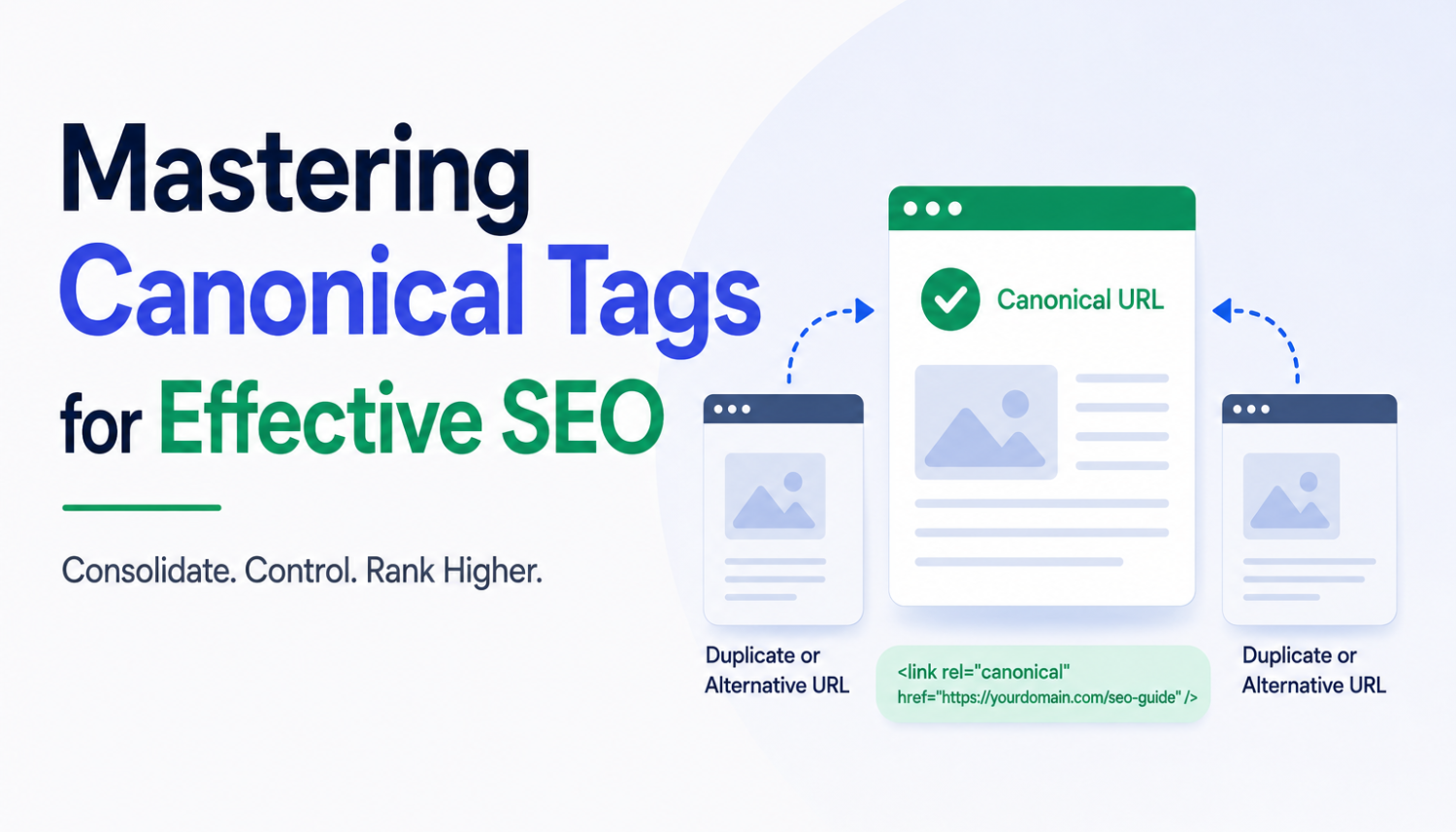
As a digital marketer, you’re likely familiar with the importance of Search Engine Optimization (SEO) in driving traffic to your website. However, have you ever wondered how Google knows which of your website pages to prioritize in the search engine results? Search engines like Google use many factors to identify the context of your page, who its targeted towards, and how important it is. This is where canonical tags come into play, allowing you to give the Google crawlers a nudge in the right direction and tell them which specific page you want to promote in the rankings.
Canonical URLs are the preferred version of a web page that you want to rank in the search engines. Let’s say you have a web page; let’s call it www.example.com/article. While this is the original page you created, over time, other variants of the page have appeared, including www.example.com/article/alternative, www.example.com/article/variant, and www.example.com/article/translated. All these links point to the original article, but the search engines will consider them duplicate content.
Understanding Canonical Tags
A canonical tag is the HTML code you add to your page to tell the search engine what your preferred URL is. Think of both the canonical tag and the canonical URL like a can of chili. The canonical tag is the can, and the canonical URL is the chili inside! You can see if there is a canonical tag on a website by checking out the source code. It will look similar to this: rel=”canonical” href=”https://example.com/article/en” />
The Importance of Canonical Tags
Adding canonical tags to duplicate pages is a good practice to help search engines understand which page you want to prioritize in the search engine results. It’s also a good idea to add a canonical tag to the original source of content, pointing to itself. This is known as a self-referencing canonical tag. You can even add a self-referencing canonical tag to a page if there isn’t any duplicate content to worry about.
- A self-referencing canonical tag minimizes the chance of a modified link appearing in the search engine results.
- John Mueller, Google’s Senior Search Analyst, has said that while you don’t have to use self-referencing canonical tags, it’s good practice.
- Some plugins and extensions automatically add self-referencing canonicals to your pages.
The Impact of Duplicate Content
There are a lot of duplicate content myths out there. Some digital marketers think duplicate content can irrevocably damage your website and lead to Google blocking your website from the search engine results. The truth is that duplicate content won’t tank your SEO rankings. What’s most likely to happen is that it will confuse search engines as they won’t know which URL to show in the search results.
- Duplicate content won’t tank your SEO rankings.
- Search engines will try to guess which page to prioritize, and there is a chance they’ll get it wrong.
- Removing duplicate content is important, for example, if you accidentally publish a copy of an already existing page.
Acceptable Reasons for Duplicate Content
There are some acceptable reasons why your site might have duplicate content. Let’s say you have a blog on your website. You might republish your content on different sites to boost awareness and encourage referral traffic from other sources. For example, content distribution platforms like Medium or content aggregator sites like Flipboard or Feedly. Canonicalization will specify where the original content came from so the search engines prioritize it.
- Canonicalization will specify where the original content came from.
- You want to prioritize the original content on your website.
Real Estate Website Example
Let’s imagine you operate a real estate website with a list of properties. You might have a property page for each individual property, but you also have a page that lists all properties. You might have duplicate content on this page, with each property listed multiple times. Canonicalization can help you specify which property page you want to prioritize in the search engine results.
- Canonicalization can help you specify which property page to prioritize.
- You can use the canonical tag to point to the individual property page.
Best Practices for Canonical Tags
Here are some best practices for using canonical tags: always use canonical tags for duplicate content, use self-referencing canonical tags for original content, and use canonical tags for internationalized websites.
- Always use canonical tags for duplicate content.
- Use self-referencing canonical tags for original content.
- Use canonical tags for internationalized websites.
Technical SEO Considerations
Canonical tags are a technical SEO consideration that can help you optimize your website for search engines. Here are some technical SEO considerations to keep in mind: always verify your website’s ownership in Google Search Console, use a 301 redirect for broken links, and use a canonical tag for duplicate content.
- Always verify your website’s ownership in Google Search Console.
- Use a 301 redirect for broken links.
- Use a canonical tag for duplicate content.
Conclusion
Canonical tags are a powerful tool for optimizing your website for search engines. By using canonical tags, you can help search engines understand which page you want to prioritize in the search engine results, and avoid duplicate content issues. Remember to use canonical tags for duplicate content, self-referencing canonical tags for original content, and canonical tags for internationalized websites.
By following these best practices for canonical tags, you can improve your website’s visibility in search engine results and drive more traffic to your site.
Key Takeaways
- Canonical tags are used to tell search engines which page you want to prioritize in the search engine results.
- Self-referencing canonical tags are used to point to the original content.
- Canonical tags can help avoid duplicate content issues.
- Best practices for canonical tags include always using canonical tags for duplicate content and self-referencing canonical tags for original content.
- Canonical tags are a technical SEO consideration that can help optimize your website for search engines.
Frequently Asked Questions (FAQs)
What is a canonical tag?
A canonical tag is an HTML code that is added to a webpage to tell search engines which version of the page is the original.
Why do I need to use canonical tags?
You need to use canonical tags to avoid duplicate content issues and to help search engines understand which page you want to prioritize in the search engine results.
What is self-referencing canonical tag?
A self-referencing canonical tag is a canonical tag that points to the original content, rather than a duplicate version.
How do I implement canonical tags?
You can implement canonical tags by adding the rel=”canonical” attribute to the head section of your webpage, followed by the URL of the original content.