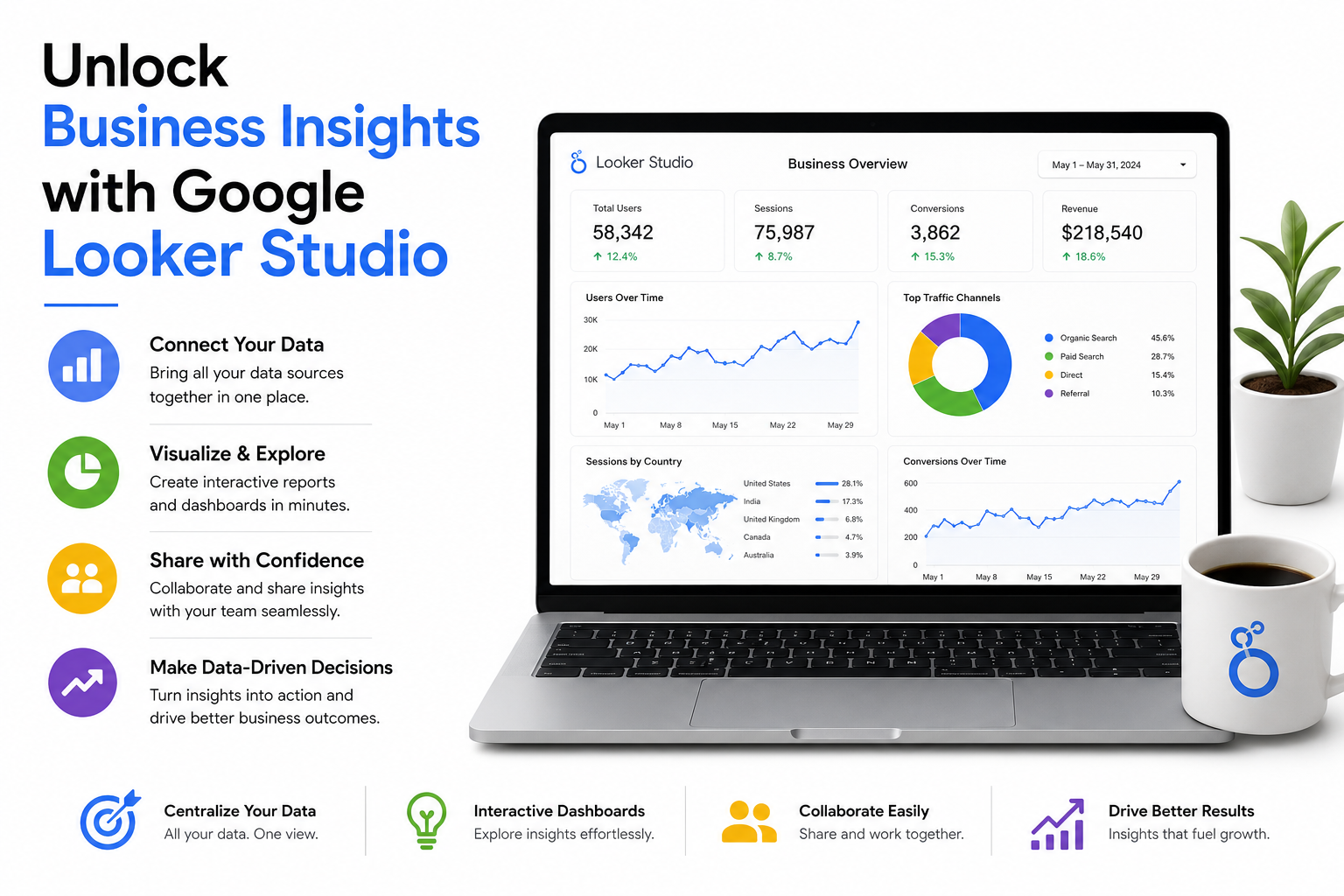
Google Analytics is an incredibly powerful tool for recording what people do on your website. However, it’s not always the best option for presenting that data or even making sense of it. The information can be overwhelming and incomprehensible unless you’re an experienced marketer. Even if you spend hours downloading and reformatting screenshots, it’s never going to be a great way to present your progress to clients or stakeholders. This is where visualization platforms like Google Looker Studio can make a difference. While these platforms don’t collect data, they let anyone understand data in a meaningful way.
In this article, we’ll explore what Google Looker Studio is, how to get started with it, and the features you should be using to get the most from the platform. We’ll also discuss the benefits of using Google Looker Studio and how it can help you better understand your business data. By the end of this article, you’ll have a solid understanding of how to use Google Looker Studio to create informative reports and interactive dashboards.
What is Google Looker Studio?
Google Looker Studio is an online data visualization tool that helps users convert data into informative reports and interactive dashboards. It centralizes various disparate data sources to turn information into clear and digestible reports. This tool is essentially a streamlined version of data visualization tools like Tableau or Power BI. While you won’t have access to quite as many features or coding capabilities, the platform is free and very easy to use.
Unlike software solutions like a data analytics tool or a marketing automation platform, Looker Studio is not a data source. It doesn’t collect the data; rather, it combines data from different sources, analyzes it, and then lets you create interactive reports, charts, and dashboards. As a Google product, Looker Studio excels at reporting Google-owned data. This includes Google Ads, Google Analytics, YouTube Analytics, etc. But you’re not limited to Google data. Looker Studio supports over 1000 data sets and connectors, including third-party platforms like , Salesforce, and more.
Benefits of Using Google Looker Studio
If you’re hitting a wall with your data and need a way to better understand how sales, marketing, or online traffic impacts your business, Google Looker Studio is a tool you should use. This platform offers several benefits, including:
- Easy to use, even for those without extensive data analysis experience. Looker Studio has a user-friendly interface that makes it simple to create reports and dashboards.
- Supports a wide range of data sources, including Google-owned data and third-party platforms.
- Offers interactive reports and dashboards that make it easy to visualize and understand complex data.
- Free to use, with optional premium features for teams and organizations.
- Regular updates and new features to help you stay up-to-date with the latest data visualization trends.
Getting Started with Google Looker Studio
If you’re new to Google Looker Studio, getting started is easy. Here are the steps to follow:
Step 1: Create an Account
To get started with Looker Studio, you’ll need to create an account. Simply go to the Looker Studio website and click on the “Sign up” button. You can use your Google account to sign in, or create a new account if you don’t have one.
Step 2: Connect a Data Source
Once you’ve created your account, you’ll need to connect a data source. This can be a Google-owned data source, such as Google Analytics, or a third-party platform like . To connect a data source, click on the “Create” button and select the data source you want to use.
Step 3: Create a Report
With your data source connected, you can now create a report. Looker Studio offers several templates to help you get started, or you can create a blank report from scratch. To create a report, click on the “Create” button and select the template or blank report option.
Features of Google Looker Studio
Google Looker Studio offers several features that make it a powerful tool for data visualization. Here are some of the key features:
- Interactive reports and dashboards that make it easy to visualize and understand complex data.
- Support for multiple data sources, including Google-owned data and third-party platforms.
- A wide range of visualization options, including charts, tables, and maps.
- Drag-and-drop interface makes it easy to create reports and dashboards.
- Collaboration features that make it easy to share reports and dashboards with others.
Conclusion
Google Looker Studio is a powerful tool for data visualization that can help you better understand your business data. With its easy-to-use interface, wide range of data sources, and interactive reports and dashboards, Looker Studio is a great option for anyone looking to improve their data analysis skills. Whether you’re a seasoned data analyst or just starting out, Looker Studio is a tool you should definitely consider.
By following the steps outlined in this article, you can get started with Looker Studio and begin creating informative reports and interactive dashboards. Don’t be afraid to experiment and try new things – with Looker Studio, the possibilities are endless!
Key Takeaways
- Google Looker Studio is a powerful tool for data visualization that can help you better understand your business data.
- The platform has a user-friendly interface that makes it easy to create reports and dashboards.
- Looker Studio supports multiple data sources, including Google-owned data and third-party platforms.
- The platform offers a wide range of visualization options, including charts, tables, and maps.
- Collaboration features make it easy to share reports and dashboards with others.
Frequently Asked Questions (FAQs)
What is Google Looker Studio?
Google Looker Studio is an online data visualization tool that helps users convert data into informative reports and interactive dashboards.
How do I get started with Looker Studio?
To get started with Looker Studio, create an account and connect a data source. You can then create a report using one of the templates or start from scratch.
What data sources does Looker Studio support?
Looker Studio supports multiple data sources, including Google-owned data and third-party platforms like and Salesforce.
How do I share reports and dashboards with others?
To share reports and dashboards with others, click on the “Share” button and enter their email addresses. You can also set permissions to control who can view or edit your reports and dashboards.